
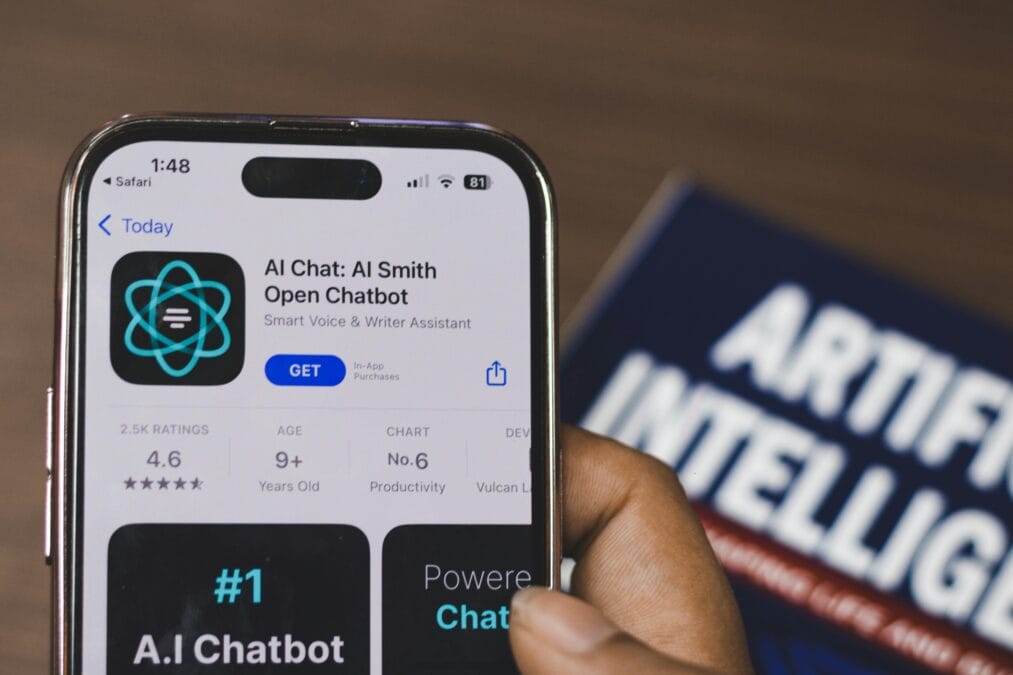
Artificial Intelligence (AI) is technology that allows computers and machines to perform tasks that normally require human intelligence.
You hear about it everywhere. On the news. On social media. From your coworkers. “AI this” and “AI that.”
Maybe you’ve nodded along, pretending to understand. Maybe you’ve felt a little left behind. Maybe you’re not even sure what AI actually is—beyond a vague sense that it’s important.
You’re not alone.
I remember when I first started hearing about artificial intelligence. I thought it was science fiction. Robots taking over the world. Something that didn’t affect my daily life.
Then I started using ChatGPT. Then I discovered AI image generators. Then I realized AI was already everywhere—in my phone, my email, my streaming recommendations. I just didn’t recognize it.
Artificial Intelligence isn’t just for tech experts anymore. It’s for everyone. And in 2026, understanding the basics isn’t optional. It’s becoming essential for work, learning, and even everyday tasks.
This guide explains what AI is in simple terms. No jargon. No confusing technical details. Just the basics you need to know, plus free AI tools you can start using today.
Before You Start: Test Your Internet Speed
AI tools need a stable connection to work properly. Test your speed before diving in.
👉 Test Your Internet Speed Here
Most People Think AI Is Complicated
Let me tell you about someone I’ll call Susan.
Susan lives in Ohio. She’s a small business owner. She kept hearing about AI but thought it wasn’t for her. She assumed you needed a computer science degree. She assumed it was expensive. She assumed it was complicated.
Meanwhile, her competitor started using ChatGPT to write product descriptions. She used AI to respond to customer emails. She automated her social media posts. Her business grew faster. Her costs stayed the same.
Susan didn’t lack intelligence. She lacked information.
The problem isn’t that AI is hard to understand. The problem is that most explanations are filled with technical terms that confuse normal people.
What Is AI?
Artificial Intelligence (AI) is technology that allows computers and machines to perform tasks that normally require human intelligence.
These tasks include:
Learning from data
Solving problems
Understanding language
Recognizing images
Making decisions
In simple terms:
AI makes machines “think” and “learn” like humans.
But here’s the important part: AI doesn’t think exactly like humans. It finds patterns in data. It makes predictions based on those patterns. It gets better over time as it processes more information.
Think of AI like a very fast, very patient student. You show it examples. It learns the rules. Then it applies those rules to new situations.
How Does AI Work?
AI works by analyzing large amounts of data and identifying patterns. The more data it processes, the better it becomes.
Three main ways AI systems learn:
1. Supervised Learning
AI is trained using labeled data. You show the AI examples with correct answers. It learns to predict the correct answer for new examples.
Example: Teaching AI to recognize spam emails by showing it thousands of emails already labeled “spam” or “not spam.”
2. Unsupervised Learning
AI finds patterns on its own without labeled answers. It groups similar items together.
Example: An online store using AI to group customers with similar shopping habits for targeted recommendations.
3. Machine Learning & Deep Learning
Advanced AI models that learn automatically and improve over time without being manually programmed for every task.
Example: A streaming service learning your viewing habits to recommend shows you’ll probably enjoy.
Types of AI
Narrow AI (Most Common Today)
Designed for specific tasks. This is the AI we use every day.
Examples:
Voice assistants (Siri, Alexa, Google Assistant)
Chatbots (customer service)
Recommendation systems (Netflix, Amazon, Spotify)
Email spam filters
Navigation apps (Google Maps, Waze)
General AI (Future Concept)
AI that can think and reason like humans across many different tasks. This does not fully exist yet. Scientists are still working on it.
Super AI (Theoretical)
AI that surpasses human intelligence in every way. This is purely hypothetical and likely decades away, if it’s even possible.
Real-Life Examples of AI You Use Every Day
You are already using AI without realizing it.
Voice assistants: Siri, Alexa, and Google Assistant use AI to understand your questions and respond.
Video recommendations: YouTube’s suggested videos are powered by AI analyzing what you watch.
Streaming suggestions: Netflix and Hulu use AI to recommend shows based on your viewing history.
Navigation: Google Maps and Waze use AI to predict traffic and find the fastest route.
Email: Gmail’s spam filter and smart reply suggestions are AI-powered.
Social media: Facebook, Instagram, and TikTok use AI to decide what posts appear in your feed.
Online shopping: Amazon’s product recommendations are generated by AI.
AI isn’t coming in the future. It’s already here, running in the background of almost every app you use.
What Is Generative AI?
Generative AI is a special type of AI that can create new content. Instead of just analyzing or categorizing, it produces something original.
Generative AI can create:
Writing (articles, emails, stories, poems)
Images (photos, illustrations, art)
Videos (short clips, animations)
Music (melodies, background tracks)
Code (computer programs, websites)
Voice (realistic speech from text)
Popular generative AI tools:
ChatGPT (text generation)
Google Gemini (text and research)
Claude AI (long-form writing)
Midjourney (image generation)
DALL-E (image generation)
Generative AI is what most people are talking about when they discuss AI in 2026. It’s the technology behind the chatbots and image creators that have become so popular.
Best Free AI Tools You Can Use in 2026
You don’t need to spend money to start using AI. These tools have free versions that are powerful enough for most tasks.
1. ChatGPT (by OpenAI)
Best for: Writing, brainstorming, answering questions, coding help
Free version features: GPT-4o access with usage limits, file uploads, web browsing
Use it for: Drafting emails, writing blog posts, generating ideas, learning new topics
2. Google Gemini
Best for: Research, real-time information, fact-checking
Free version features: Access to Google’s latest AI model, integration with Google apps
Use it for: Researching topics, summarizing articles, getting current information
3. Claude AI (by Anthropic)
Best for: Long-form writing, deep analysis, processing large documents
Free version features: Generous context window (can process entire books)
Use it for: Analyzing long documents, creative writing, detailed research
4. Microsoft Copilot
Best for: Integration with Microsoft products, general tasks
Free version features: Access via Bing, image generation, text chat
Use it for: Quick questions, image creation, everyday tasks
5. Perplexity AI
Best for: Search with citations, fact-based answers
Free version features: Web search with sources, follow-up questions
Use it for: Research where you need verified sources, academic work
6. Leonardo AI
Best for: Image generation
Free version features: Daily free credits, multiple generation models
Use it for: Creating graphics, generating art, visualizing ideas
Advantages of AI
Saves time and increases productivity
Tasks that took hours can now take minutes. Drafting emails. Summarizing documents. Researching topics. AI handles the repetitive work so you can focus on what matters.
Automates repetitive tasks
Data entry. Sorting. Categorizing. AI can handle routine work without getting tired or making mistakes.
Improves decision-making
AI analyzes patterns humans might miss. It helps businesses make better decisions based on data, not guesswork.
Creates new business opportunities
Companies are building products and services around AI. New jobs are emerging. New industries are forming.
Available 24/7
AI doesn’t sleep. It doesn’t take vacations. It works whenever you need it.
Disadvantages and Limitations of AI
Can produce incorrect information
AI sometimes “hallucinates”—it makes up facts that sound convincing but are completely wrong. Always verify important information.
Job automation concerns
Some roles will be automated. However, new jobs are also being created. The key is adapting and learning to work alongside AI.
Requires quality data
AI is only as good as the data it’s trained on. Bad data leads to bad results.
Privacy and ethical concerns
AI systems collect and analyze data. This raises questions about privacy, consent, and bias. It’s important to use AI tools responsibly.
No true understanding
AI doesn’t actually “understand” anything. It predicts patterns. This means it can fail in ways humans wouldn’t.
Why AI Is So Important in 2026
AI is no longer optional. It’s becoming essential across every industry.
Business and marketing: Automating customer service, personalizing ads, analyzing sales data
Healthcare: Assisting with diagnosis, analyzing medical images, managing patient records
Education: Tutoring students, grading assignments, creating lesson plans
Finance: Detecting fraud, analyzing investments, automating trading
Content creation: Writing articles, generating images, editing videos
Software development: Writing code, finding bugs, suggesting improvements
People who understand AI now will have a major advantage in the coming years. Not just in their careers—in everyday life.
How to Start Using AI Today (Step-by-Step)
Step 1: Test Your Internet Speed
AI tools need a stable connection. Test before you start.
Step 2: Create a Free Account
Sign up for ChatGPT (chat.openai.com) or Google Gemini (gemini.google.com). Both are free.
Step 3: Start with Simple Questions
Ask ChatGPT: “Explain AI in simple terms.” “Give me five ideas for a blog post.” “Help me write an email.”
Step 4: Experiment and Learn
Try different prompts. See what works. AI improves with practice—both the tool and your skill at using it.
Step 5: Check Your Content Quality
Use a Word Counter to track your content length as you write with AI assistance.
Real Success Story
Michael, from Texas
“I’m a freelance writer. I was skeptical about AI. I thought it would replace me. Then I tried ChatGPT. I realized AI doesn’t replace me—it makes me better. I use it to brainstorm outlines, overcome writer’s block, and research topics faster. I now write twice as many articles in the same time. My income has grown by 60% in six months. AI didn’t take my job. It made me more valuable.”
If Michael can use AI to grow his business, so can you.
Final Thoughts
Artificial Intelligence is shaping the future faster than most people realize. Whether you want to learn new skills, make money online, or just improve your productivity, understanding AI is your first step.
You don’t need to be a programmer. You don’t need to understand complex math. You just need curiosity and a willingness to experiment.
Start with the free tools in this guide. Ask questions. Make mistakes. Learn what works.
The people who thrive in the AI era won’t be the ones who resist it. They’ll be the ones who learn to use it.
Start today.
Your Next Step
👉 Test Your Internet Speed – Ensure your connection is ready
👉 Try ChatGPT for Free – Start with simple questions
👉 Check Your Content with Word Counter – Track your writing as you learn
👉 Explore Other Free Tools – Speed tests, calculators, and more
Frequently Asked Questions About Artificial Intelligence
Q: What is AI in simple words?
A: AI, or Artificial Intelligence, is technology that allows computers to perform tasks that normally require human intelligence. These tasks include learning, problem-solving, understanding language, and making decisions. In simple terms, AI makes machines "think" and "learn" like humans.
Q: How does AI work?
A: AI works by analyzing large amounts of data and identifying patterns. It learns from examples. The more data it processes, the better it becomes. AI systems use machine learning algorithms to improve their performance over time without being explicitly programmed for every task.
Q: What are the 4 types of AI?
A: The four types of AI are: Reactive Machines (basic AI that responds to current situations), Limited Memory (AI that learns from past data), Theory of Mind (AI that understands emotions and intentions—still in development), and Self-Aware AI (AI with human-like consciousness—theoretical only).
Q: Can AI replace humans?
A: AI can automate specific tasks, but it cannot fully replace human creativity, critical thinking, emotional intelligence, or decision-making. AI is a tool that augments human abilities rather than replacing them entirely. Jobs will evolve, not disappear.
Q: Is AI free to use?
A: Yes, many AI tools offer free versions. ChatGPT, Google Gemini, Claude AI, and Microsoft Copilot all have free tiers with substantial capabilities. Paid versions offer additional features and higher usage limits, but free versions are sufficient for most beginners.
Q: What is the best free AI tool for beginners?
A: ChatGPT is widely considered the best free AI tool for beginners. It's easy to use, versatile, and requires no technical knowledge. You simply type your question or request, and ChatGPT responds in natural language.
Q: What is generative AI?
A: Generative AI is a type of artificial intelligence that creates new content. Unlike traditional AI that analyzes or categorizes, generative AI produces original text, images, videos, music, or code based on patterns it learned from training data.
Q: How can I start learning about AI?
A: The best way to start learning about AI is to use it. Create a free ChatGPT or Google Gemini account. Ask questions. Experiment with different prompts. Use AI to help with everyday tasks. Practical experience teaches more than theory.
Q: What internet speed do I need for AI tools?
A: You need at least 5 Mbps download for smooth performance with most AI tools. Test your speed at vastwebtool.com/internet-speed-test before starting.
Q: What are the risks of using AI?
A: Risks include AI generating incorrect information (hallucination), potential job displacement in certain sectors, privacy concerns with data collection, bias in AI outputs, and over-reliance on AI for critical decisions. Always verify important information from AI tools.