
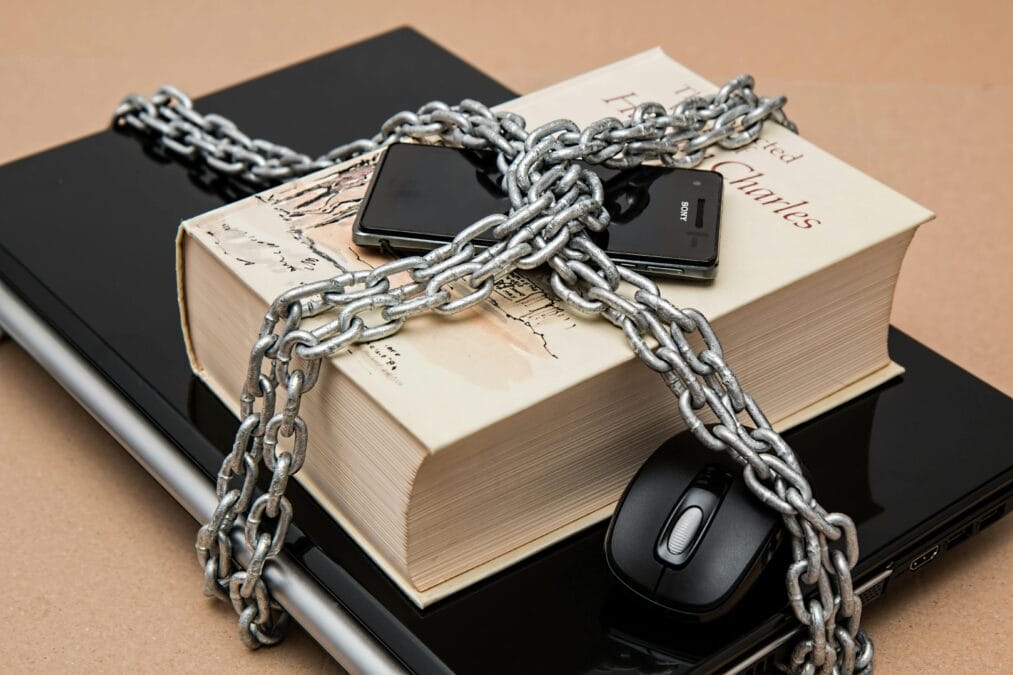
You wake up. Grab your phone. Open Gmail.
“Your account has been locked due to suspicious activity.”
Your heart sinks. You try Instagram. Locked. Facebook. Locked.
Someone got in. They changed your passwords. They’re sending messages to your contacts. They’re requesting money. They’re posting things you’d never say.
How did this happen? You used a password you thought was safe. Your birthday. Your dog’s name. The same password you use for everything.
In 2026, this scenario is happening to thousands of people every day. Hackers aren’t targeting tech giants anymore. They’re targeting you. Your accounts. Your identity. Your money.
And the only thing standing between you and disaster is a string of characters called a password.
I learned this lesson the hard way. My Instagram account was hacked two years ago. I had used a simple password. I thought it was fine. It wasn’t. I lost months of content, followers I’d built over years, and the humiliation of watching strangers impersonate me.
That day, I started using a password generator. I never looked back.
This guide shows you why password generators are essential in 2026, how they work, and how to protect your most important accounts. Your Gmail. Your Instagram. Your Facebook.
Before You Start: Check Your Current Password Strength
The first step to security is knowing where you stand. Use a password generator to see what a strong password looks like.
👉 Create a Strong Password Now
The Problem: Your Passwords Are Dangerously Weak
Let me tell you about someone I’ll call Sarah.
Sarah was careful online. She didn’t click suspicious links. She ignored spam emails. She thought she was safe.
But Sarah had one bad habit: she used the same password for everything. Her Gmail. Her Instagram. Her Facebook. Even her online banking. One password to rule them all.
One day, a small website she’d used years ago got hacked. That website stored her email and password in plain text. Hackers grabbed it. They tried that email and password on Gmail. It worked. On Instagram. It worked. On Facebook. It worked.
Within hours, Sarah lost access to everything. Her photos. Her messages. Her contacts. Her banking information.
The hackers didn’t break into her accounts with sophisticated technology. They didn’t need to. Sarah gave them the keys.
The problem isn’t that hackers are geniuses. The problem is that our passwords are weak. Predictable. Repeated. Easy to guess. Easy to steal.
The Solution: What Makes a Strong Password?
A strong password isn’t just “hard to guess.” It’s mathematically difficult to crack.
Characteristics of a strong password:
Length: At least 12–16 characters
Every character you add makes the password exponentially harder to crack. A 6-character password can be cracked in seconds. A 16-character password would take centuries with current technology.
Complexity: A mix of character types
Uppercase letters (A, B, C)
Lowercase letters (a, b, c)
Numbers (1, 2, 3)
Symbols (!, @, #, $)
Randomness: No personal information
Your name. Your birthday. Your pet’s name. These are the first things hackers try. A strong password contains no personal information.
Uniqueness: Never reused
One password per account. If one account is compromised, your others stay safe.
The problem: Humans are terrible at creating random, complex, unique passwords. We’re predictable. We use patterns. We reuse favorites.
This is why password generators exist.
What Is a Password Generator?
A password generator is a tool that creates random, secure passwords automatically. You don’t think. You don’t choose. You don’t reuse.
How it works:
You select password length (12–20+ characters)
You choose character types (uppercase, lowercase, numbers, symbols)
The tool generates a completely random password
You copy and use it
Why it’s better:
No human predictability
No patterns to exploit
No memory of your personal information
High entropy (mathematical randomness)
Best Free Password Generator (Recommended)
If you’re looking for a fast, reliable, and completely free password generator, use this:
👉 VastWebTool Password Generator
Why this tool stands out:
Generates strong, random passwords instantly
No login or signup required
Works on mobile and desktop
Customizable length and character types
Completely free, forever
This is exactly what security experts recommend: using automated tools to remove human guesswork from passwords.
How to Generate a Strong Password (Step-by-Step)
Step 1: Visit the Password Generator
👉 Open VastWebTool Password Generator
Step 2: Choose Your Password Length
Security experts recommend 12–20 characters. Longer is better. For sensitive accounts like email and banking, choose 16+ characters.
Step 3: Select Character Types
Enable all four types:
Uppercase letters (A-Z)
Lowercase letters (a-z)
Numbers (0-9)
Symbols (!@#$%^&*)
Step 4: Click Generate Password
The tool creates a random, unbreakable password instantly.
Step 5: Copy and Use
Copy the password. Paste it into your account. Save it in a password manager if you use one.
That’s it. Your account is now significantly more secure.
Why Gmail, Instagram, and Facebook Need Strong Passwords
Gmail: Your Digital Life
Your email is the master key to your digital life. If hackers access your Gmail, they can:
Reset passwords for all your other accounts
Access banking alerts and statements
Read personal conversations
Impersonate you professionally
Why Gmail is targeted:
Email accounts are the highest-value targets for hackers. One compromised email can unlock everything else.
Instagram: High-Risk for Account Takeover
Instagram accounts are stolen every day. Hackers target them for:
Selling hacked accounts to scammers
Running crypto scams from trusted profiles
Extorting money for account recovery
Impersonation and reputation damage
Why Instagram is targeted:
Hacked Instagram accounts have immediate resale value. Hackers can make money before you even notice you’ve been locked out.
Facebook: Identity and Financial Risk
Your Facebook account contains:
Personal photos and conversations
Connected apps and logins
Payment methods (if you use Marketplace)
Your identity and social network
Why Facebook is targeted:
Hackers use compromised Facebook accounts to scam your friends, run fraudulent ads, and steal identities.
Common Password Mistakes to Avoid
❌ Using “password123” or “123456”
These are the most common passwords in the world. Hackers try them first.
❌ Reusing the same password everywhere
One breach compromises all your accounts. Every account needs a unique password.
❌ Using personal information
Your name. Your birthday. Your pet. Your favorite sports team. Hackers can find this information in seconds.
❌ Creating short passwords
A 6-character password can be cracked in seconds. A 12-character password takes centuries.
❌ Writing passwords on sticky notes
If someone can see it, they can steal it.
❌ Sharing passwords with others
Every person who knows your password is a security risk.
Bonus Security Tips (Very Important)
✅ Use a Different Password for Every Account
If one account is compromised, your others stay safe. A password generator makes this easy.
✅ Enable Two-Factor Authentication (2FA)
A password alone isn’t enough. Add 2FA for accounts that support it. Even if someone gets your password, they can’t get in without your phone.
✅ Use a Password Manager
You can’t remember 50 random passwords. That’s okay. Use a password manager to store them securely.
✅ Never Share Your Passwords
Not with friends. Not with family. Not with anyone claiming to be support. Legitimate companies never ask for your password.
✅ Update Important Passwords Regularly
Review your critical accounts (email, banking, social media) every 3–6 months. Generate new passwords. Stay ahead of potential breaches.
Why Password Generators Are Better Than Manual Passwords
Humans are predictable
We use patterns. We use words. We use numbers we can remember. Hackers know this. They have dictionaries of common passwords, common substitutions, and common patterns.
Machines are random
A password generator doesn’t think. It doesn’t choose “Password123” because it’s easy. It creates mathematically random strings.
Comparison:
Human password: “Fluffy2024!” (predictable, dictionary-based)
Generated password: “k9#mP2$xQ8@vR4” (random, unbreakable)
The second password would take centuries to crack. The first would take minutes.
Real Success Story
Marcus, from Australia
“I used the same password for everything. Gmail, Facebook, banking, everything. I thought I was safe because it was ‘strong’—Capital letter, number, symbol. One day, my email got hacked. I don’t even know how. The hacker reset all my passwords. I lost access to my accounts for three days. It was a nightmare. Now I use a password generator for every account. Each password is different. Each is random. I use a password manager to store them. It took me an afternoon to set up. It saved me months of potential disaster. I’ll never go back.”
If Marcus can secure his accounts with a password generator, so can you.
How Hackers Crack Passwords
Understanding how hackers work helps you defend against them.
Brute Force Attacks
Hackers use software to try every possible combination of characters. A 6-character password can be cracked in seconds. A 12-character password takes thousands of years.
Dictionary Attacks
Hackers use lists of common words, names, and passwords. “Password123” will be cracked instantly.
Credential Stuffing
Hackers use passwords stolen from one site to try logging into other sites. If you reuse passwords, you’re vulnerable.
Phishing
Hackers trick you into giving them your password. A strong password doesn’t protect you if you type it into a fake login page. Always check URLs.
Final Verdict
If you want to protect your Gmail, Instagram, and Facebook in 2026, using a password generator is no longer optional. It’s essential.
Weak passwords are the number one security risk online. Hackers know this. They exploit it every day.
The solution is simple. Use a password generator. Create strong, unique passwords for every account. Enable two-factor authentication. Use a password manager to keep track.
Your digital life is worth protecting.
Your Next Step
👉 Generate a Strong Password Now – Takes 10 seconds
👉 Audit Your Critical Accounts – Gmail, Instagram, Facebook, banking
👉 Change Weak Passwords – Use the generator for each account
👉 Enable 2FA – Add an extra layer of security
The sooner you start, the safer you’ll be.
Frequently Asked Questions About Password Generators
Q: What is a password generator and how does it work?
A: A password generator creates random, secure passwords automatically. You choose the length and character types. The tool generates a completely random string that's mathematically difficult to crack. No human patterns or predictability.
Q: Are password generators safe to use?
A: Yes. Reputable password generators like VastWebTool Password Generator run entirely in your browser. Passwords are never stored, saved, or transmitted. You generate locally and copy to your password manager or account.
Q: What makes a password strong?
A: A strong password has at least 12–16 characters, includes uppercase and lowercase letters, numbers, and symbols, contains no personal information, and is unique to each account. Password generators create these automatically.
Q: How long should my password be?
A: Security experts recommend at least 12 characters. For sensitive accounts like email and banking, use 16–20 characters. Every additional character makes the password exponentially harder to crack.
Q: Can hackers crack a generated password?
A: A 12-character randomly generated password with mixed character types would take centuries to crack with current technology. Hackers target weak, predictable, or reused passwords instead.
Q: Why shouldn't I reuse passwords across accounts?
A: If one website gets hacked and your password is exposed, hackers will try that email and password combination on other platforms. Reusing passwords turns one breach into multiple compromised accounts.
Q: How do I remember all my generated passwords?
A: Use a password manager like Bitwarden, LastPass, or 1Password. These tools store your passwords securely. You only need to remember one master password to access all your others.
Q: What is two-factor authentication (2FA) and do I need it?
A: 2FA adds an extra layer of security. Even if someone gets your password, they need your phone to log in. Enable 2FA on Gmail, Instagram, Facebook, and banking accounts for critical protection.
Q: How often should I change my passwords?
A: Change passwords immediately if you suspect a breach. For regular maintenance, review and update your most critical accounts (email, banking, social media) every 3–6 months.
Q: What are the most common password mistakes?
A: Using short passwords (under 8 characters), reusing passwords across accounts, using personal information (names, birthdays), using dictionary words, and sharing passwords with others are the most common and dangerous mistakes.